How to announce your commitment.
A step-by-step guide to announcing your college commitment on Instagram, X, and TikTok — timing, captions, who to tag, and what to post.
Free guide · Updated 2026
1. Tell the people who should hear it first
Before anything goes online, tell your head coach, the coaches recruiting you who are about to find out publicly, and your family. Coaches who invested months in your recruitment should not learn from Instagram. A short call or text to each staff still recruiting you is the standard courtesy, and it protects relationships you may need again if things change.
2. Confirm the school is ready for it
Some programs ask recruits to hold announcements until a specific date, particularly around signing periods or when a class is being announced together. Ask your recruiting contact whether there is a preferred window. Announcing early against a program's wishes is a genuinely bad first impression.
3. Pick the right moment to post
Engagement on recruiting content is highest in the early evening on weekdays, when athletes, parents, and coaches are all online. Avoid posting during school hours or late at night. If you are signing at a ceremony, post within an hour — the same-day post gets dramatically more reach than one that lands the next morning.
4. Lead with a graphic, not a snapshot
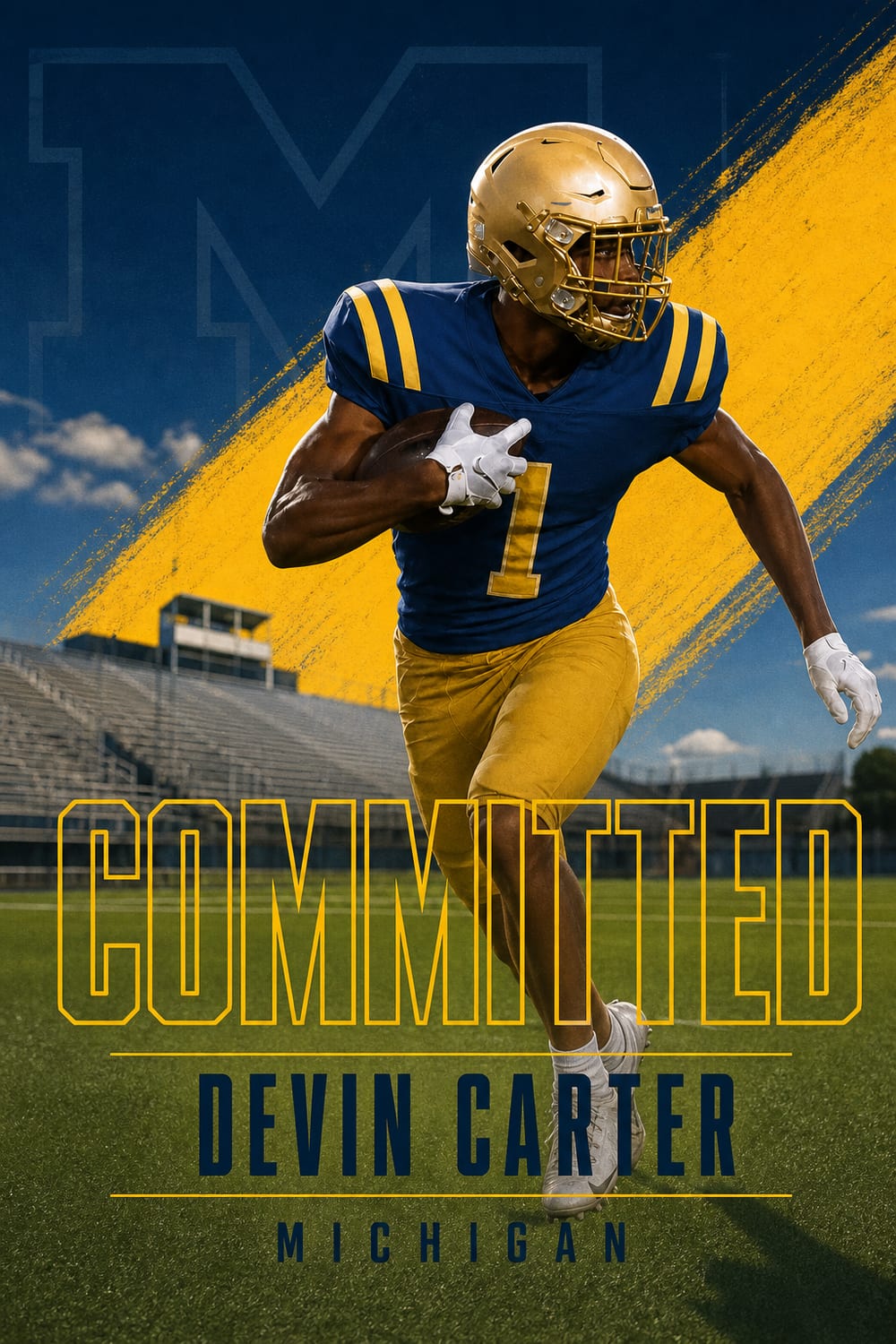
The post that gets reshared is the one that looks designed. A commitment graphic in your new school's colours reads as official; a phone photo with text typed over it reads as an afterthought. Put the graphic first in the carousel and the personal photos after it.
5. Write a caption that thanks before it celebrates
The convention across recruiting is gratitude first: parents, coaches, teammates, and the staff that offered. Then the announcement itself. Keep it shorter than you think — the graphic carries the news, and the caption carries the tone.
6. Tag the accounts that will reshare
Tag the program's athletics account rather than the main university account, your high school's athletics account, and your club or travel program. Those three reshares are how a commitment post reaches recruiting media and beyond your own following.
7. Post everywhere, sized correctly
Instagram feed, Instagram Story, X, and TikTok all reach different parts of your audience. Use the correctly sized export for each — a feed graphic cropped awkwardly into a Story looks careless. Post the Story version at the same time as the feed post, not hours later.
8. Update your bio the same day
Add the school and your class year to your bio. It is the first thing a college coach or recruiting account checks after seeing the post, and an outdated bio undercuts the announcement.
What not to do
Do not announce an offer as a commitment. Do not delete the offer posts from schools you turned down — they are part of the record of what you earned. Do not post a decommitment as drama; a short, gracious note is the right move if plans change, and plans change often.
When you are ready to build the graphic itself, CommitGraphics turns one action photo into a finished announcement in about a minute, in your school's real colours.
Make it official.
Which platform actually matters
Instagram is where recruiting lives. Coaches, recruiting reporters, and other athletes are all there, and reshares travel further than on any other platform. X still carries weight in football and basketball recruiting specifically, where reporters break commitments and the ecosystem is genuinely active. TikTok reaches the widest audience but is the least likely to reach college staffs.
If you only do one, do Instagram — feed post plus Story. If you do two, add X in football or basketball, and TikTok in anything else.
The carousel order that works
Lead with the commitment graphic. Follow it with one action photo, then one photo with family or your high school coach. That sequence gives the algorithm a strong first frame and gives people a reason to swipe, which increases the time spent on the post and therefore its reach.
Resist the urge to put fifteen photos in. Three to five is the range where people actually get to the end.
What to do in the first hour
Reply to comments. Early engagement determines how far a post travels, and a commitment post that gets forty replies in the first hour reaches dramatically more people than one that gets forty replies over three days. Reply to the reshares in your Story too.
Handling the schools you turned down
Message the coaches who offered you and whom you are declining before the post goes up — not after. It is a short conversation and it is the single most-respected thing a recruit can do in this process. Coaching staffs move between programs constantly, and the coach you decline this year may be recruiting your position at another school next year.
If you decommit later
It happens, and often. Coaching changes, roster changes, and better offers all cause it. If it happens, post a short and gracious note — thank the staff, do not explain in detail, and do not criticise the program publicly. Then make a new graphic when the next decision comes. Nobody in recruiting thinks less of an athlete for decommitting cleanly; plenty think less of one who does it messily.
A quick checklist
- Coaches and family told first, before anything is posted
- Program asked whether they have a preferred announcement date
- Graphic made in the school's real colours, correct class year and position
- Caption thanks first, announces second, and names the school in words
- Athletics account, high school account, and club account all tagged
- Feed post and Story posted at the same time, each sized correctly
- Bio updated the same day
- Comments answered in the first hour
Questions, answered
When should I announce my college commitment?
Tell your coaches and family first, confirm the program has no preferred date, then post in the early evening on a weekday. If you are signing at a ceremony, post within an hour of it.
What should I write in a commitment caption?
Thank your parents, coaches, and the staff that offered you first, then announce the school. Keep it short — the graphic carries the news.
Who should I tag in a commitment post?
The program's athletics account, your high school athletics account, and your club or travel team. Those are the accounts most likely to reshare.