Golf commitment graphics.
Your follow-through, your new school's colors — a finished college golf commit edit from one tournament photo.
Free to download · No account · Any school, any level
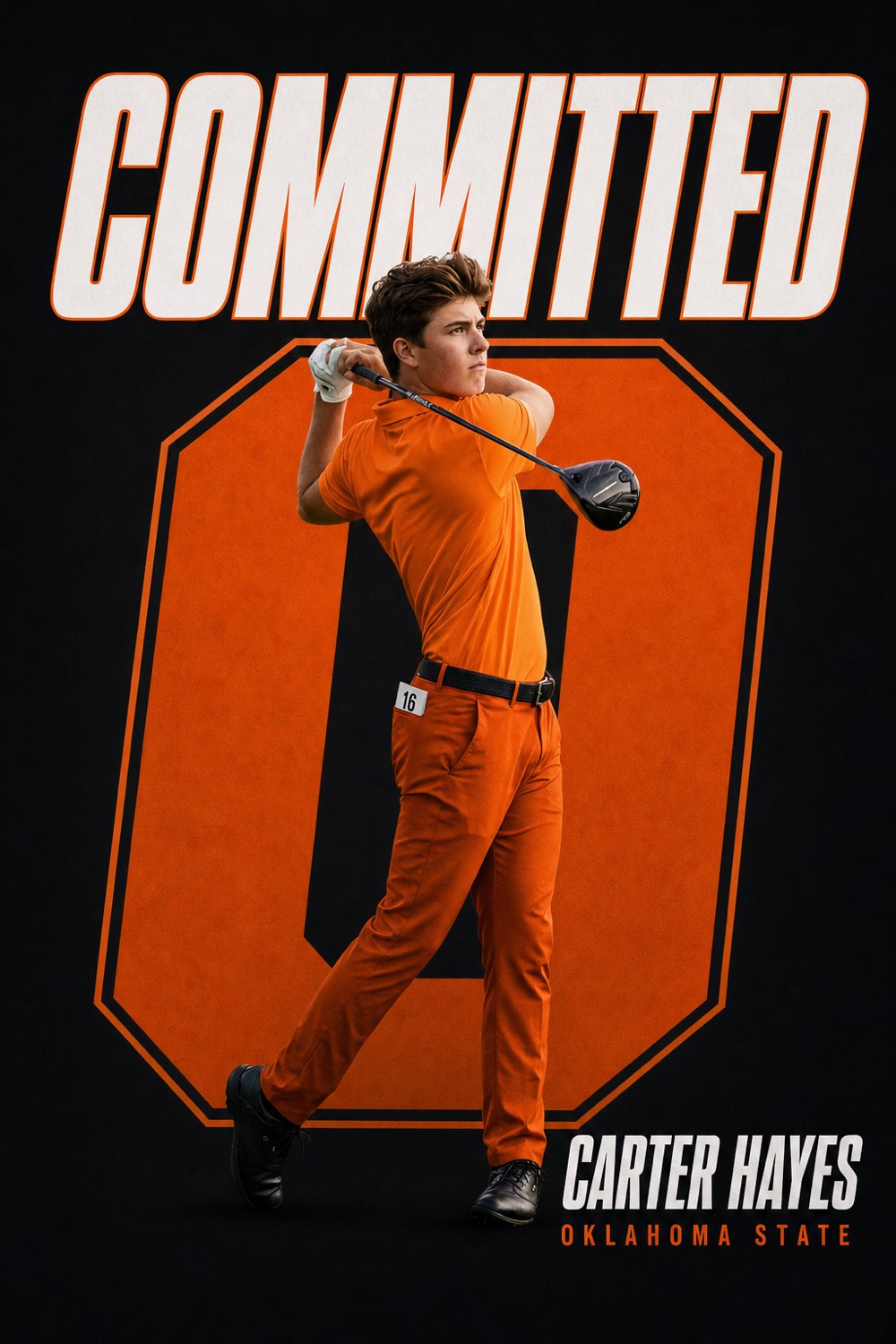
College golf is recruited off a résumé — scoring average, Junior Golf Scoreboard and AJGA results, the right tournaments — but it is announced with a photo. The post that says you are committed to play golf at a school is the first thing teammates, your club and the recruiting pages see, and it is usually one tournament photo with the school's name typed over it.
CommitGraphics turns that one photo — a follow-through off the tee, a putt read, the walk up 18 — into a finished golf commit edit designed around your photo and your school's real colors. Enter the school and its state, and the engine pulls the identity in. Your name and class year are placed exactly as you type them.
It works for men's and women's golf at every level: Division I and II programs that sign in November, Division III programs where the commitment is the admission letter, and NAIA and junior-college teams that sign on their own calendar.
A minute from done
Your details
Name and the year you graduate high school. Golf has no position, so leave that field blank or type Golf; your scoring average belongs in the caption, not on the graphic.
Your school
Type the school and its state. Real colors and identity are pulled in automatically, from SEC and ACC programs to D3 and NAIA teams.
Your photo
One tournament shot: a full follow-through with your face toward the camera, a fist pump on the green, or a portrait with the bag. Phone photos from a parent walking the course work.
Make it official
Two finished designs per tap. Regenerate until it's the one, then post it the day your coach says the commitment is public.
Built for golf
The design carries your name, class year and school. Nothing on the graphic asks for a position, a handicap or a ranking.
A Big Ten commit and an NAIA commit get the same design quality. Any school, any level, in its real colors.
The program's actual palette, automatically, so the post looks like it came from the team's account.
Instagram post, Story, square and X in one download for your page, your club and the junior golf accounts that repost.
Your scoring average got you recruited. The post is the part everyone sees.
The CommitGraphics difference
How a golf commitment becomes official
Most college golfers commit after a campus visit in their junior or senior year, once the coach has watched them play and seen the scoring résumé. The verbal commitment is the announcement moment: that is when the commit graphic goes up, and when the club, the high-school team and the junior tour accounts repost it.
Signing day for college golf
For the class of 2027, Division I and II golf programs sign from Wednesday, November 11, 2026, and the period stays open through the following August, so a spring signing is normal. Many golfers post twice: COMMITTED at the verbal and SIGNED the day the paperwork is done. Both come from the same pack.
Division III, NAIA and junior college
D3 golf cannot offer athletic scholarships and has no signing day; the commitment is official when the admission letter arrives, often in December or March. NAIA and NJCAA programs use their own letters and sign year-round, with most golfers landing in the spring. The graphic is the same: your photo, the school's colors, and your name.
Shooting a golf commit photo
The follow-through, face to the camera
The best golf commit photos are the finish of the swing shot from face-on or slightly in front, with the club wrapped and your eyes up toward the target. A backswing shot hides your face behind your arms, and a down-the-line shot shows your back. Ask whoever is shooting to stand just ahead of you off the target line, phone at chest height.
Watch the hat brim
A cap brim in midday sun puts your whole face in shadow, and the design engine works from your face. Shoot early or late in the round, tilt the brim up a touch, or take the hat off for the portrait option. A visor is safer than a cap.
Greens, fist pumps and portraits
A reaction on the green, a portrait with the bag on your shoulder, or a walk-off with the flagstick all work. The engine replaces the background with the design, so the course behind you does not need to be pretty, just in focus.
Class year, team and how it renders
Golf has no position, so the position field can stay blank; some golfers type Golf or Women's Golf so the sport is explicit on the graphic. Use the year you graduate high school as the class year. Your scoring average, AJGA or JGS ranking and the tournaments that got you recruited go in the caption.
Thank your swing coach, your club and the junior tours in the caption rather than on the graphic; the graphic carries the college, and the caption carries the road. The caption guide has lines that work for individual sports.
Questions, answered
Does CommitGraphics make golf commitment graphics?
Yes. Golf is one of the sports in the app, for men's and women's programs. Enter your name, class year, school and state, add one tournament photo, and the engine designs a finished commit edit in the school's real colors in about a minute.
When is signing day for college golf?
For the class of 2027, Division I and II golf signs from Wednesday, November 11, 2026, and the period runs through the following August. Division III has no signing day; athletes commit when admitted. NAIA and junior colleges sign on their own schedule.
What do I put in the position field for golf?
Leave it blank, or type Golf, Men's Golf or Women's Golf. Scoring average, handicap and rankings belong in the caption, not on the graphic.
Does it work for NAIA and junior college golf?
Yes. Any school renders the same way, in its real colors. NAIA and NJCAA golf programs sign year-round, so make the graphic whenever your coach says the commitment is public.
What photo works best for a golf commit edit?
A sharp finish-of-swing shot from face-on with your eyes visible under the brim, or a portrait with the bag. Avoid backswing and down-the-line angles that hide your face.
Every moment covered
Card signed, post it right.
Four years of tournaments deserve a real announcement. Download CommitGraphics and make it official.
One-time packs, no subscription · commitgraphics.com