Player of the Week graphics.
Your headline, your player, your colors. A spotlight post in about a minute.
Free to download · No account · Any school, any level
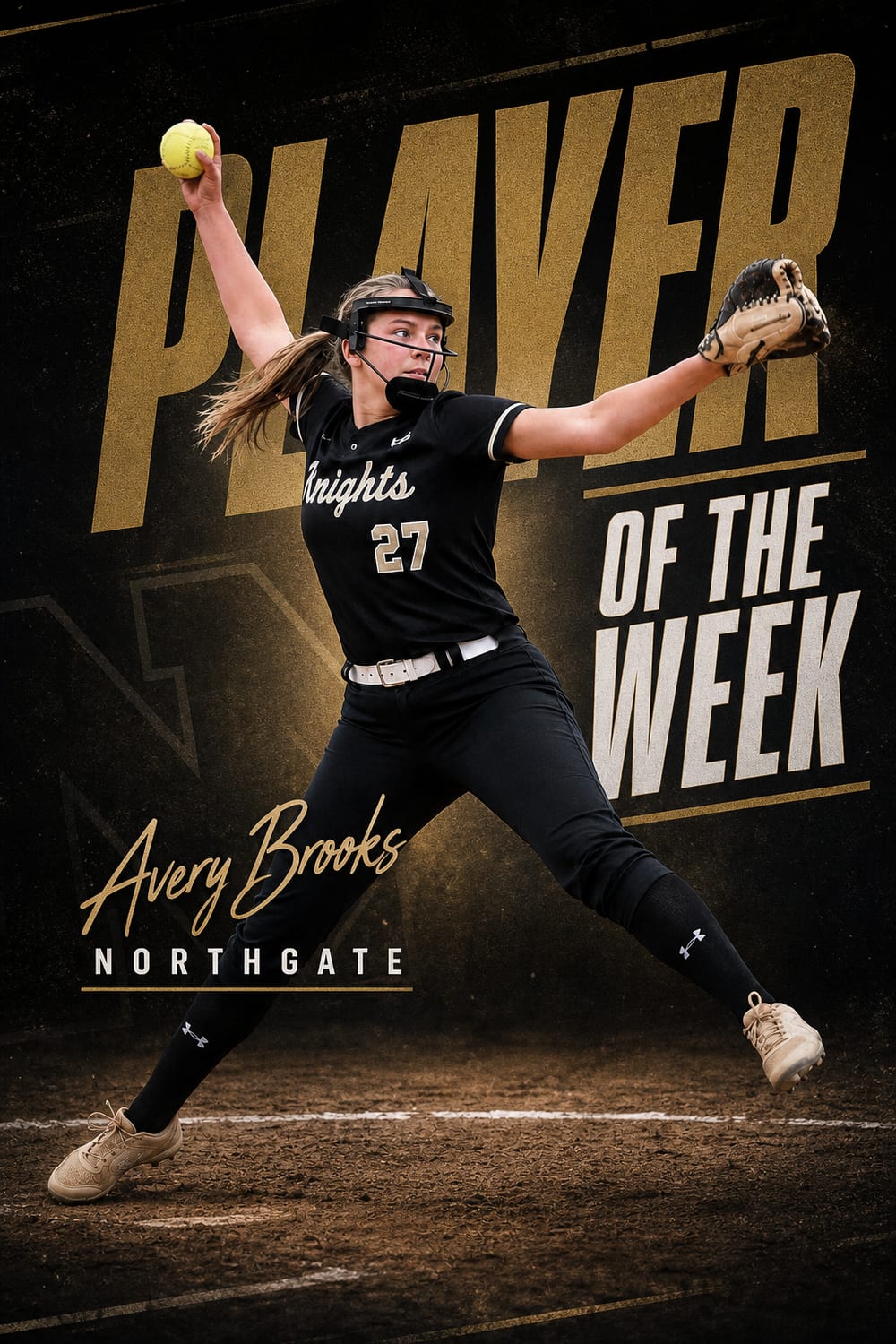
Player of the Week is the post that gets shared furthest: by the player, by the family, by the grandparents. Teams, booster clubs and local sports pages post one every week, and it should look like a real graphic, not a phone photo with text on it.
In CommitGraphics it is the NEWS post in the Game Day tab, and the headline is whatever you type: "Player of the Week", "Athlete of the Week", "Player of the Game", "All-Conference", "1,000 Career Points", "Playoff Bound". Add the player's name and team and a photo, and the engine designs it in your team colors.
Every word is placed exactly as you type it. The same tab makes game day, final score and stat line posts, and the same one-time packs cover all of them.
A spotlight in a minute
Game Day, then NEWS
Open the app, tap the Game Day tab and pick NEWS.
Your headline
Type it exactly as it should read: "Player of the Week", "Athlete of the Month", "Senior Spotlight".
Player and team
The team is required; the player's name is optional, so team announcements work too.
Photo and create
Add the player's photo, then tap create for two finished designs.
Every week, every sport
Player of the Week is one headline. Athlete of the Month, All-State, a milestone or a team announcement are others.
The player's name and the headline are placed exactly as typed, so the post can go out without a proofread from the family.
Team colors, big type and the player front and center, at the level of a college program's creative team.
One a week adds up. The Team / Program Pack of 60 covers a season of spotlights and game posts.
Every player remembers the week they were the headline.
The CommitGraphics difference
Headlines that work
Open CommitGraphics, tap Game Day and choose NEWS. Every word on the graphic comes from what you type, spelled exactly as you type it, so check the names before you tap create.
Spotlights
Player of the Week, Athlete of the Week, Player of the Game, Player of the Month, Senior Spotlight, Captain announcement.
Milestones and honors
1,000 Career Points, 100th Win, All-Conference, All-State, Academic All-American, Record Breaker.
Team news
Playoff Bound, Conference Champions, Tryout dates, Schedule release. Leave the player's name empty for a team-only post.
A photo is optional
Add an action shot and the player becomes the centerpiece. Leave it out and the graphic is designed around the teams, the type and the colors, with no person in it. The app never invents an athlete.
Running a Player of the Week
Pick a day and keep it: Monday for the week before is the most common. Choose from the week's stat lines, ask the player for a photo they like, and put a sentence about why they earned it in the caption. Tag the player and the team account so it reaches the people who care most.
Coaches, booster clubs and parents run it more often than players do, and there is no account to set up, so whoever has the photo can make the post.
Questions, answered
How do I make a Player of the Week graphic?
Download CommitGraphics, tap Game Day and choose NEWS. Type "Player of the Week" (or any headline), the player's name and team, add a photo and tap create. Two finished designs arrive in about a minute.
Can I use a different headline, like Athlete of the Week?
Yes. The headline is whatever you type: Athlete of the Week, Player of the Game, All-Conference, a milestone or a team announcement.
Can I make a team announcement without a player?
Yes. The team and headline are required; the player's name and photo are optional.
Which sports does it work for?
Any sport and any level, from middle school and club teams to varsity and college.
Is it a template I have to edit?
No. You type the details and the engine designs a finished graphic. There are no layers to move and no text boxes to resize.
How much does it cost?
The app is free to download. Graphics use one-time packs: $14.99 for 20, $24.99 for 40 or $39.99 for 60, with no subscription.
Every moment covered
This week's headline.
Download CommitGraphics and make the Player of the Week post in a minute.
One-time packs, no subscription · commitgraphics.com