Player stat graphics.
Thirty-two points deserves its own post. Name, team and the numbers, done in a minute.
Free to download · No account · Any school, any level
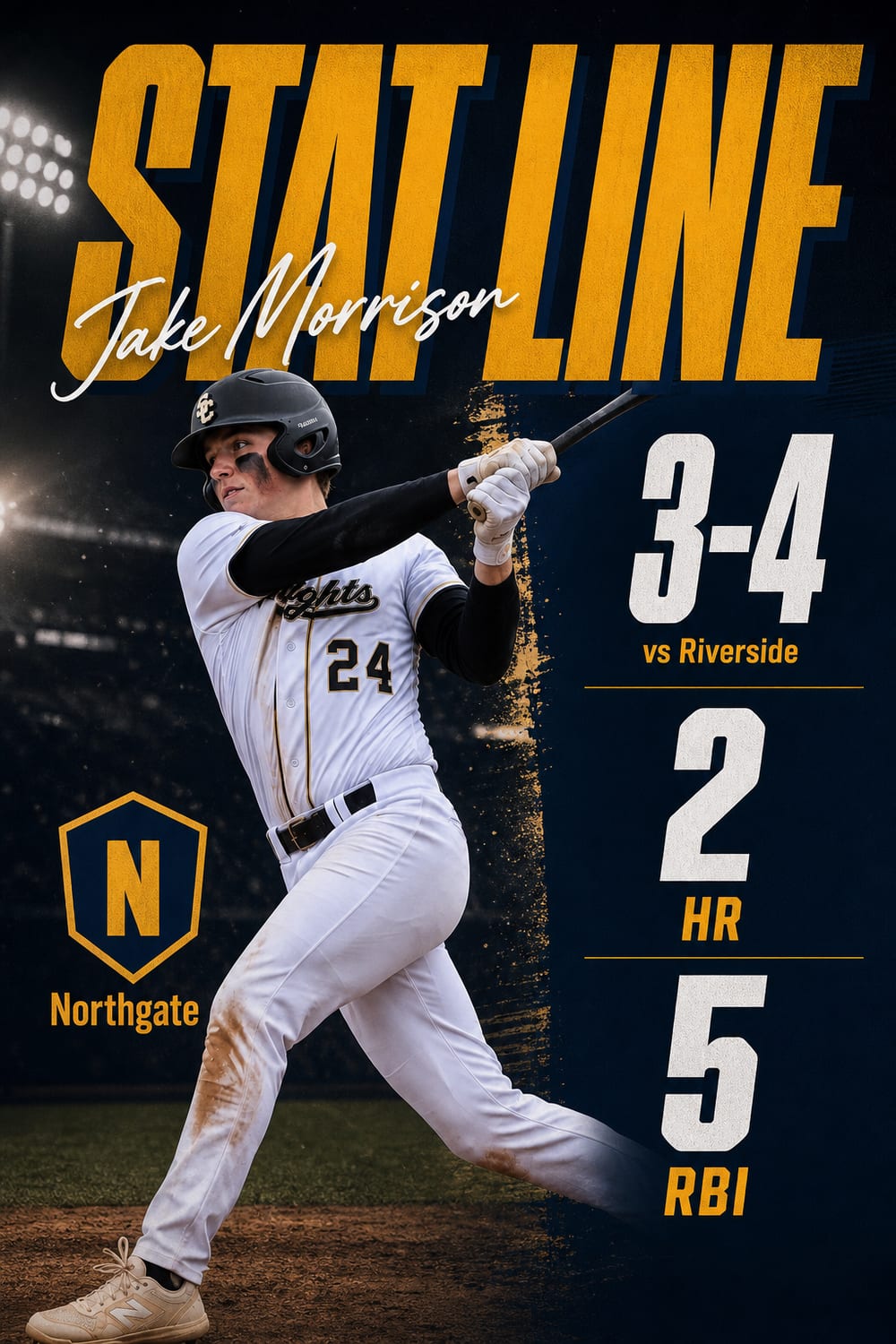
Some nights one player is the story: a hat trick, a 20-and-10, three hits and two home runs. A stat line graphic puts that night on its own post, and it is the kind of post the player shares, the family shares and, in recruiting season, a college coach sees.
CommitGraphics makes it in about a minute. Type the player's name and team, add up to four stats in your own words (for example "32 PTS", "8 REB", "2 HR", "5 RBI", "14 KILLS"), add the opponent if you like, and upload a game photo. The numbers and the name are placed exactly as you type them.
It sits in the Game Day tab with the matchup, final score and news posts, uses the same one-time packs, and works for any sport.
Numbers to post
Game Day, then STATS
Open the app, tap the Game Day tab and pick STATS.
Player and team
The player's name and team are required. The opponent is optional.
Up to four stats
One per line, written the way you want it to read: "32 PTS", "3-4", "2 HR", "11 K".
Photo and create
Add a game photo to feature the player, then tap create for two finished designs.
Made for the highlight night
Up to four lines, written however your sport says it. Each is placed exactly as typed.
With a photo, the player is the centerpiece, with the name in script and the numbers stacked beside them.
A clean stat graphic is easy to repost and easy for a coach to read. It belongs next to the highlight film.
Points and rebounds, hits and RBIs, goals and assists, kills and digs, yards and touchdowns.
A box score is a line of type. A stat graphic is a moment.
The CommitGraphics difference
Writing the stat lines
Open CommitGraphics, tap Game Day and choose STATS. Every word on the graphic comes from what you type, spelled exactly as you type it, so check the names before you tap create.
Lead with the number
Stat graphics read best as a number and a short label: "32 PTS", "2 HR", "3 TD", "14 KILLS". Put the headline stat first. Three lines usually look better than four, and one huge number can be the whole story.
Batting lines and records
Write them as people say them: "3-4" for three hits in four at-bats, "11 K" for strikeouts, "7-0" for a pitcher's record. The opponent line is optional, and "vs Riverside" under the first stat gives it context.
A photo is optional
Add an action shot and the player becomes the centerpiece. Leave it out and the graphic is designed around the teams, the type and the colors, with no person in it. The app never invents an athlete.
Stat graphics and recruiting
College coaches follow recruits on social media, and a stat graphic after a big game is an easy, honest way to put production in front of them. Keep the numbers accurate (coaches check), tag your high school or club team, and pin the best ones next to your highlight video.
When the offers come, the same app makes offer graphics, and when you decide, the commitment graphic.
Questions, answered
How do I make a player stat graphic?
Download CommitGraphics, tap Game Day and choose STATS. Enter the player's name and team, up to four stats, the opponent if you want it, and a photo, then tap create. Two finished designs arrive in about a minute.
How many stats can I put on it?
Up to four lines. Each line is written your way, for example "32 PTS", "8 REB", "2 HR" or "3-4".
Do I need a photo?
No, the photo is optional, but stat graphics look best with one: the player becomes the centerpiece of the design.
Can parents or coaches make one for a player?
Yes. Anyone can make it; just enter the player's name and team. The Team / Program Pack covers 60 graphics for a whole roster.
Which sports does it work for?
Any sport. The stat labels are whatever you type, so it fits basketball, baseball, softball, football, soccer, volleyball, hockey, lacrosse, wrestling and more.
How much does it cost?
The app is free to download. Graphics use one-time packs: $14.99 for 20, $24.99 for 40 or $39.99 for 60, with no subscription.
Every moment covered
The numbers, posted.
Download CommitGraphics and turn the box score into a graphic people share.
One-time packs, no subscription · commitgraphics.com