Offer graphics for coaches.
Send recruits a pro-grade OFFERED graphic in about a minute, and save a team template so every recruit's graphic keeps the same look.
Save a team template · Reuse free for every recruit
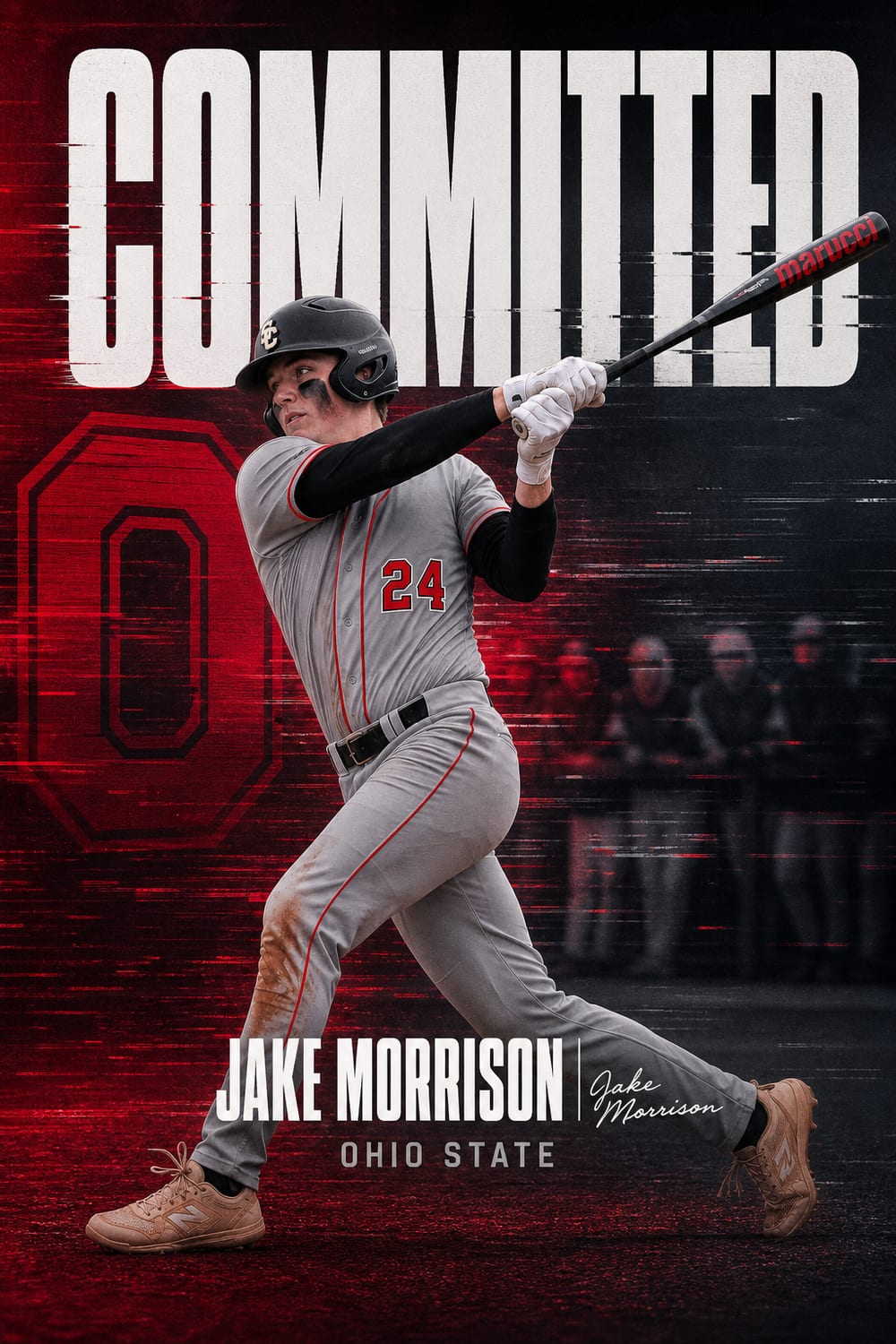
The offer graphic is your first impression
By the time a recruit reads your offer, they have probably already seen one from somewhere else. The programs that stand out are the ones whose offer arrives looking like it came from a Power Four creative department — and for most high school, JUCO, Division II, Division III, and NAIA staffs, there is no creative department at all.
An offer graphic gets screenshotted, posted, and reshared by the recruit, their parents, their travel program, and their high school. It is the single most-shared asset your program produces, and it costs nothing to make well.
Built for a coach's workflow
One design, every recruit
Generate an offer graphic in your program's real colours, download it once, and save it as a team template. Every recruit after that gets the same design with their own name, position, and class year swapped in — free, instantly, with no new generation. Your offers stop looking like a grab bag and start looking like a brand.
With or without a photo
Have an action photo of the recruit? Drop it in. Do not have one yet — which is normal early in a recruitment — and the graphic is built around your program instead: the stadium under lights, a jersey in your colours, your crest. No invented athletes, ever.
Sized for how recruits actually receive it
Every download includes the feed post, the 1080×1920 Story, a square, and a landscape crop for X. Recruits repost to Stories more than anywhere else, so that size matters.
Any program, any level
Head coaches, position coaches, recruiting coordinators, directors of player personnel, travel and club directors, and high school coaches announcing where their athletes are headed all use the same tool.
It is built specifically for programs without a full-time graphic designer — which is the overwhelming majority of them. Division II, Division III, NAIA, JUCO, and prep programs compete for recruits against schools with creative staffs of ten people. This closes that specific gap.
The Team Pack
The Team / Program Pack covers 50 graphics — designed for a staff running a full recruiting class, or a club director handling multiple athletes. Combined with saved templates, one pack covers an entire cycle. One-time purchase; nothing renews.
Make it official.
Where offer graphics fit in recruiting
The offer graphic is the recruit's proof
When a staff extends an offer, the recruit almost always wants to announce it. If you send nothing, they build something themselves — usually a screenshot of a text message, or a template app graphic in the wrong shade of your school colours, posted to an audience that includes every other recruit you are pursuing.
Sending a branded graphic with the offer solves that. The recruit gets something worth posting within minutes of the call, and what circulates is your identity rather than an approximation of it.
Speed matters more than polish
The window where an offer graphic has value is the same day. A recruit who has been offered wants to post that evening. A graphic that arrives three days later has missed the moment entirely — they have already posted something else.
This is why most staffs outside the top tier send nothing: the design queue runs on a multi-day turnaround, and offers do not wait for it. Producing one in a minute from your phone removes the bottleneck rather than working around it.
Volume is the real constraint
A mid-major staff might extend well over a hundred offers across a recruiting cycle. At even fifteen minutes of design time each, that is a full working week of labour on graphics alone — which is exactly why it does not get done. The economics only work when each one takes a minute.
Templates and why they matter
A class should look like a class
When a recruit posts an offer graphic, other recruits see it. If every graphic from your program shares the same colour treatment, the same typographic weight, and the same layout logic, the cumulative effect over a cycle is a program with a visual identity. If each one looks different, the effect is a program that improvises.
Saving a template means the second, tenth, and fiftieth graphic carry the same look as the first. You set the design language once, and every subsequent athlete drops into it.
What a template locks
A saved template holds your school, its colour treatment, and the design approach. What changes per athlete is the name, position, class year, and the photo. That division is deliberate: the identity stays fixed while the individual detail varies, which is precisely the pattern professional programs use.
Multiple templates for multiple purposes
Most staffs end up keeping more than one. A standard offer graphic for the bulk of the cycle, a louder variant for priority targets, and a cleaner one for camp invitations or preferred walk-on conversations. Each is saved separately and reused as needed.
When the athlete has no usable photo
Underclassmen frequently have no good action photo, and asking for one before an offer is awkward. A graphic built without a photo — school identity, name, position, class — is a legitimate and widely used format. No stand-in athlete is ever invented; the design simply works without a person in it.
Division I through JUCO
Division I
Recruits at this level expect a graphic, because the programs competing with you are sending one. Not sending one is a visible gap. Power-conference staffs have full creative departments; everyone below that is competing against that output without the same headcount.
Division II and NAIA
This is where branded offer graphics have the most leverage. Recruits at this level are often deciding between several similar programs, and a professional-looking offer signals a program that takes its own presentation seriously. It is a cheap, genuine differentiator.
Division III
Division III cannot offer athletic scholarships, which makes the recruiting pitch about fit, academics, and belonging. An offer or roster-spot graphic still marks the moment publicly, and Division III recruits post them as readily as anyone else.
JUCO
Junior college recruiting moves fast and runs on a compressed calendar, often with athletes who need to decide quickly. Same-day graphics fit that tempo better than almost any other level.
High school staffs
High school coaches use the same tool from the other direction — marking their own athletes' commitments, building signing day posts, and celebrating a class. The signing day format is the most-used one here.
Questions coaches ask
Does it use our actual colours?
Yes. Enter the school and the design is built from that program's real colour identity rather than a generic palette. Including the state disambiguates schools that share a name.
Can we use these in official program channels?
Graphics you generate are yours to use. Many staffs send them directly to the recruit and let the athlete post first, which is the convention — the announcement belongs to the recruit.
What about compliance?
Sending a graphic is subject to the same NCAA contact rules as any other communication with a recruit. The tool does not change what you are permitted to send or when; it changes how long it takes to make. Check with your own compliance office on timing, particularly around the September 1 junior-year threshold.
Does every coach need an account?
The app runs per device with no account required. Staffs that want a shared look typically have one person set up the template and share the settings with the rest of the staff.
What does it cost?
The app is free to download, and graphics are made with a one-time pack. A one-time pack unlocks clean HD downloads with no watermark. There is no subscription and nothing renews — which matters for staffs that would otherwise need a purchase order for a recurring line item.
Questions, answered
Can I reuse the same design for every recruit?
Yes. Download an offer graphic once and save it as a team template. Every recruit after that gets the identical design with their own name, position, and class year swapped in, free and instantly.
Do I need a photo of the recruit?
No. Without a photo the graphic is built around your program — stadium, jersey, crest, and colours — and never invents a fictional athlete. Add a photo any time you have one.
Does it work for high school, JUCO, and D3 programs?
Yes. Any program at any level. The design uses your school's real colours and identity regardless of division.
How much does it cost?
One-time packs, never a subscription. The Team / Program Pack covers 50 graphics and is built for staffs running a full recruiting class.