Offer announcement graphics.
“Blessed to receive an offer…” — now with a graphic that makes coaches look twice.
Free to download · No account · Any school, any level
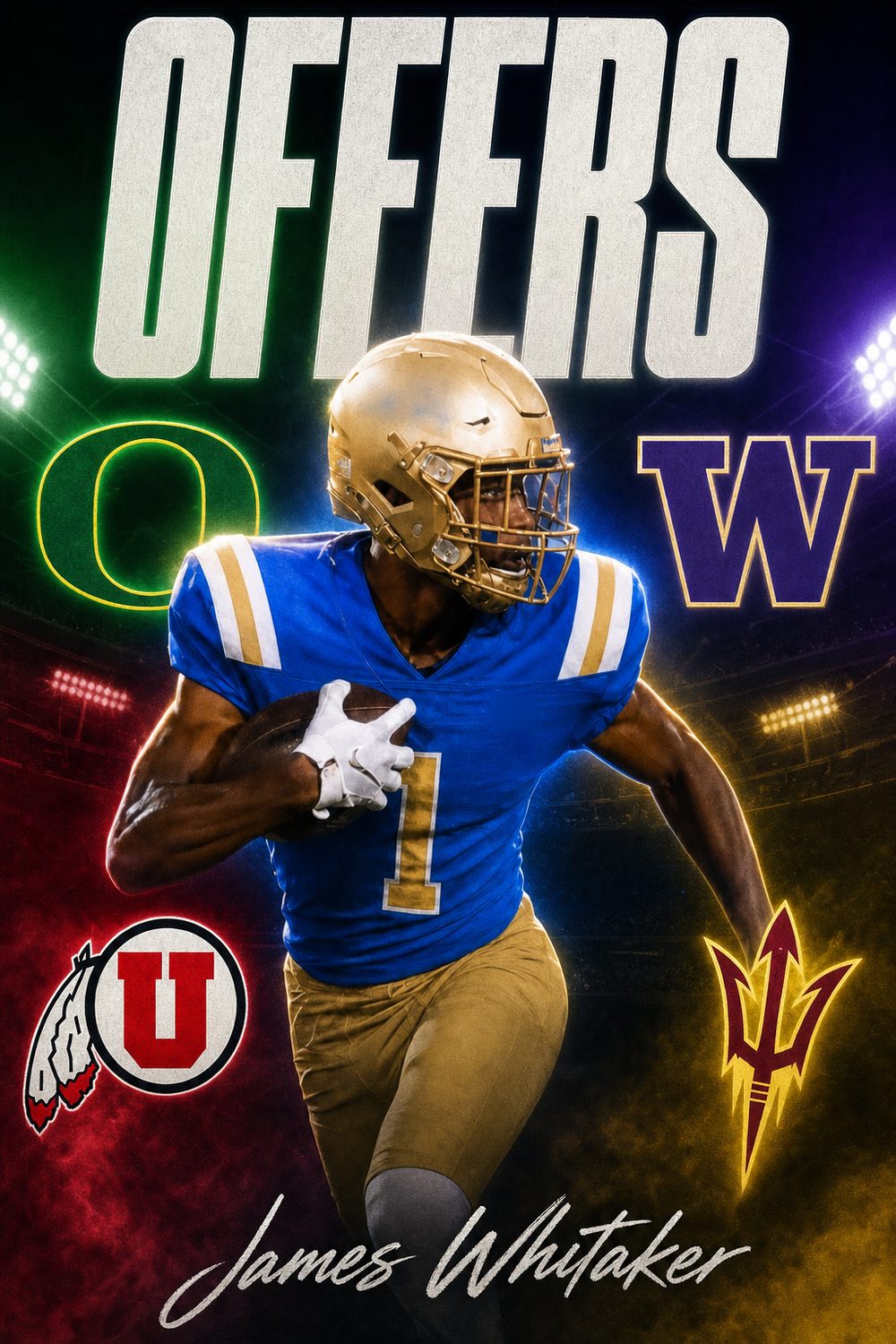
Long before the commitment, recruiting is a story told one offer at a time. Every “blessed to receive an offer” post is a signal — to the coaches who offered, to the ones still deciding, and to every program watching your recruitment build momentum. Athletes who announce offers well keep themselves in the conversation.
CommitGraphics makes a dedicated OFFERS headline graphic: one action photo plus your name, sport, position, and class year, rendered in the offering school's real colors. Each announcement looks like a broadcast graphic, not a screenshot of an email — and each new offer takes about a minute to turn around.
When the recruitment ends, the same app carries you home: sport-specific commitment graphics for football, basketball, softball, and baseball, and the SIGNED graphic for signing day.
An offer-day routine
Your details
Name, sport, position, class year — set them once, and they're ready every time a new offer lands.
The offering school
Type the school that offered and its state. Its real colors load automatically for that announcement.
Your photo
One action shot — you can reuse your best photo for every offer, or rotate through the season's highlights.
Announce it
Generate, pick the one you like, and post while the news is fresh. Repeat for every offer that follows.
Built for the grind
Purpose-built for offer season — not a commitment template with the word swapped.
Every announcement carries the offering school's actual colors, pulled in automatically each time.
A $14.99 pack covers 20 clean graphics — a whole recruitment's worth of announcements.
Instagram post, Story, square, and X in one download — coaches scroll all of them.
Every offer is a headline. Announce each one like it made the broadcast.
The CommitGraphics difference
Offer announcement etiquette
Confirm it is a real offer first
Not every conversation is an offer. Coaches distinguish between interest, a camp invitation, a preferred walk-on spot, and a committable scholarship offer — and posting something as an offer when it was not creates genuinely awkward problems with that staff. If there is any ambiguity, ask the coach directly whether it is a committable offer before announcing it.
Thank the staff, then announce
The convention across recruiting is to thank the coach who extended the offer before or within the post itself. "Blessed to receive an offer from…" exists as a formula because it works — it credits the program rather than centring only on the athlete.
Announce individually or as a board
Two approaches both work. Posting each offer as it arrives shows momentum and keeps you visible; collecting them into a single OFFERS graphic showing the full board makes a stronger single statement and avoids fatiguing your audience. Athletes with many offers usually do both — individual posts early, then a board post as the list grows.
Do not delete offers after committing
Once you commit, the earlier offer posts are part of the record of your recruitment. Leaving them up is normal and shows the full picture of what you earned.
Offer season by sport
Offers do not arrive evenly through the year — they cluster around the events where coaches actually evaluate, and that timing differs sharply by sport.
Football
Division I contact opens June 15 after sophomore year, and offers frequently arrive in waves after summer camps and junior days. A strong camp performance can produce several offers in a single week. More on the football page.
Basketball
Offers follow the spring and summer travel circuit almost entirely. July evaluation periods reshape recruiting boards, and offers tend to land in the weeks immediately afterward. See the basketball page.
Baseball and softball
Coaches cannot contact Division I recruits until September 1 of junior year, so offers concentrate in junior and early senior year, usually following showcase and travel-tournament exposure. See baseball and softball.
Everything else
Soccer, volleyball, track, wrestling, lacrosse, and swimming largely follow club and showcase calendars with the standard September 1 junior-year contact rule. Club season results, not high school results, usually drive the offer.
After the offer
When the recruitment ends, the same app carries the moment home — a commitment graphic for the decision and a SIGNED graphic for the paperwork.
Still being recruited? Reach more coaches
One offer usually leads to more when other programs know you exist. CoachReach, from the team behind CommitGraphics, has the contact details of more than 50,000 college coaches across D1, D2, D3, NAIA and junior college, plus a recruiting profile you can send them. Free to download on iPhone at coachreach.app.
Questions, answered
How do I make an offer announcement graphic?
Open CommitGraphics on iPhone, choose the OFFERS graphic, enter your name, sport, position, class year, and the offering school with its state, add one action photo, and tap generate. Two finished offer graphics come back in about a minute.
Should I post a graphic for every offer?
Most recruits do — each announcement thanks the offering staff and shows other programs your recruitment is moving. With free previews and one-time packs, making one for every offer costs a fraction of a single designer edit.
Can I reuse the same photo for multiple offer posts?
Yes. Many athletes keep one signature action shot for the whole offer season — each school's announcement still looks different because it's rendered in that school's colors and a fresh style.
What do I post when I finally commit?
Switch to the COMMITTED graphic — same details, your chosen school's colors — and on signing day, the SIGNED graphic finishes the story. One app covers the entire recruitment.
Every moment covered
New offer? Announce it.
Keep your recruitment loud. Download CommitGraphics and turn every offer into a broadcast-grade announcement.
One-time packs, no subscription · commitgraphics.com